Swordcaster (ongoing)
Gameplay Designer & Programmer
Release date:
t.b.d. (ongoing)
Development time:
3 months part-time, and counting
Project type:
Passion project, team of 2
t.b.d. (ongoing)
Development time:
3 months part-time, and counting
Project type:
Passion project, team of 2
Description
An action/combat game with Souls-inspired gameplay, originating from a shared exercise with an animation artist to create an impactful animation-based boss battle.So far, I created a tool to speed up animation iteration, a third person player character, a boss moveset and prototype fight, a complete level greybox (L2) and a scalable codebase designed to grow with the game.
Player Character (3C's)
Research & Analysis
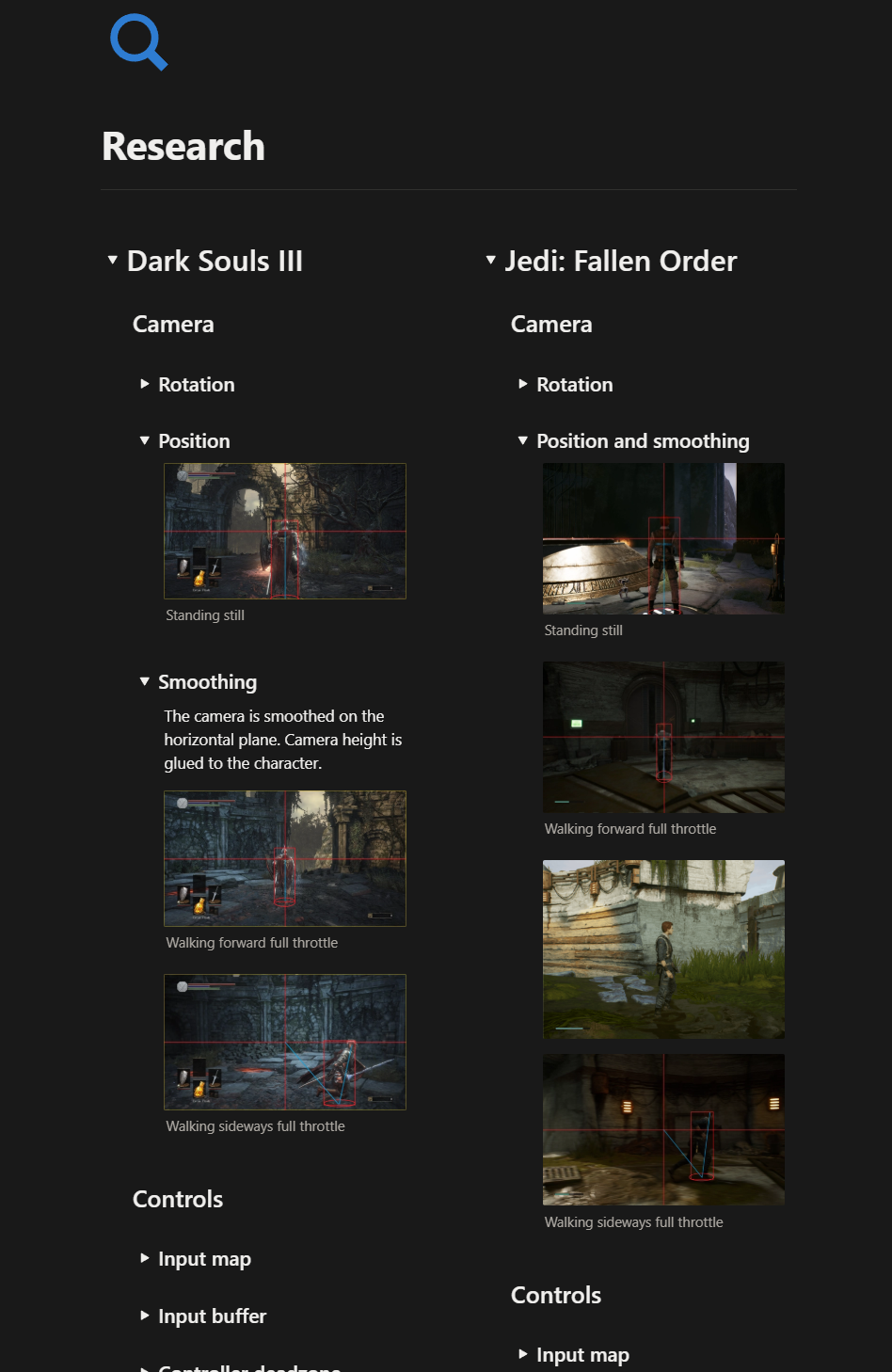
I sometimes catch myself wanting to jump straight into the engine. This time I held back and decided to thoroughly analyse Souls-like player characters first: acceleration, turn radius, character feel, camera angles... so much juice!Using this research document, I was able to quickly build a solid player character base and expand it based on the game's needs.
Capturing the fight
I added a wide hysterisis to the camera when locks onto an enemy, allowing it to capture the fight almost from the side, giving the player a much more interesting view of the fight than with a straight-on camera.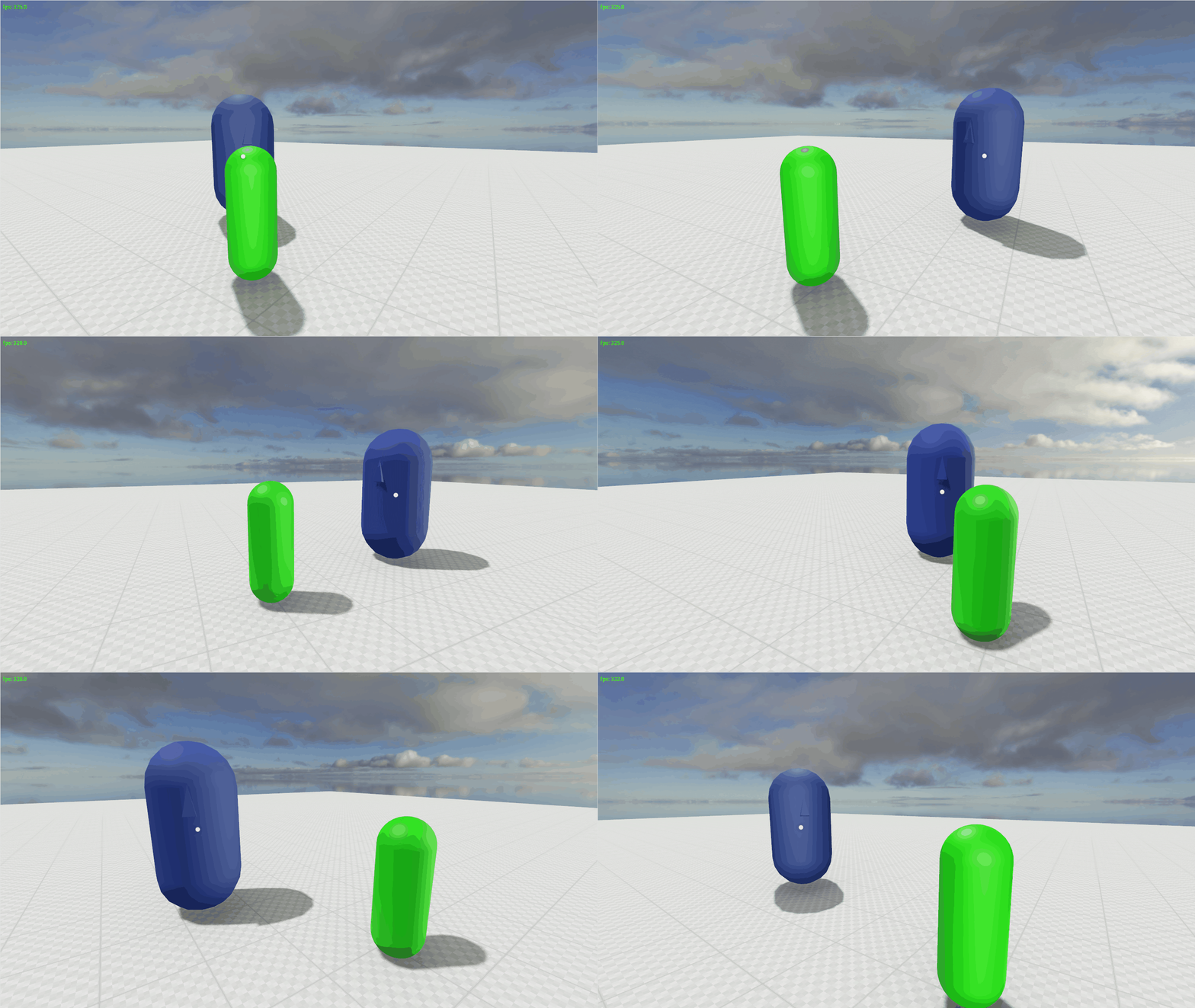
Locking down the 3C's
Knowing how fast the player character moves, how long her attacks take, how quickly she can dodge (among many other metrics) is crucial when designing a boss moveset.Also note the addition of a flip-dodge, showcasing player character Kris' athletic background. The movement design has to reflect the game's narrative.
Boss Behaviour
Boss Profile/Strategy
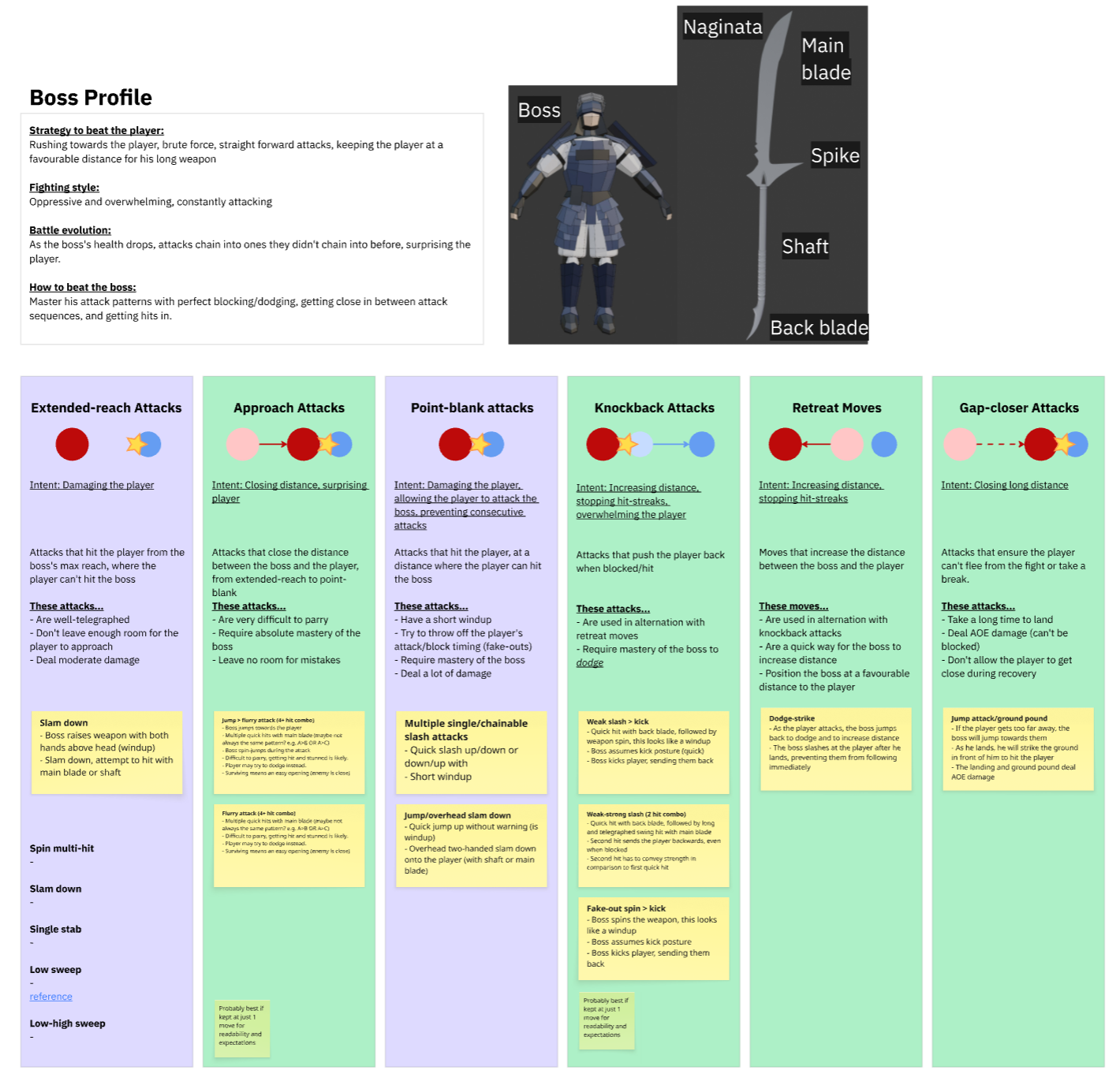
First, I decided what the player should do to beat the boss. Since it's the game's only boss, the player has to achieve> "absolute mastery of all combat mechanics".
I designed a coherrent strategy the boss uses to beat the player, which leads to interesting gameplay:
- The boss tries to keep the player at a distance favourable for his long weapon
- The boss occasionally closes in with a very difficult attack, leaving room for punish attacks if succesfully parried
- The player has to get close to damage the boss, managing his attacks properly
- The fight's spacing alternates between point-blank and extended-reach engagement, adding variety
Boss Prototype
To test whether this design works, I put together a prototype boss with conditional attacks, created 6 attack animations, and tested it with playtesters.A critical point of feedback was that I focused too much on punishing attack timings, which turned the game into more of a rhythm parrying game than an engaging fight.
Using my batch transposer tool (more below) I was able to easily iterate these timings, resulting in a much more dynamic fight, showcased on the right.
Chasing Fun
Playtesting revealed that the boss left too little room for close-quarters combat, causing players to use passive (and boring) long-range play. I reworked the timings to create openings, drawing the player in. This makes the main challenge attack-reading and stamina management in close quarters.This contradicted my initial design vision, but it taught me that playtesting early exposes crucial problems in the design, especially related to boring gameplay.
Block or Dodge?
The player has two ways to deal with attacks: blocking and dodging, which I both wanted to give a different purpose.- Blocking can be held down until the stamina meter runs out, making it an approachable way of dealing with attacks. However, the player gets pushed back with every block, making approaches near impossible purely by blocking all incoming attacks.
- Dodging is much more timing sensitive, meaning the player needs to learn the attack timings first. By dodging, the player can get close to the boss. Dodging costs a big chunk of stamina, so dodging exclusively is not an option either.
Animation Pipeline Tool
Editor Tool
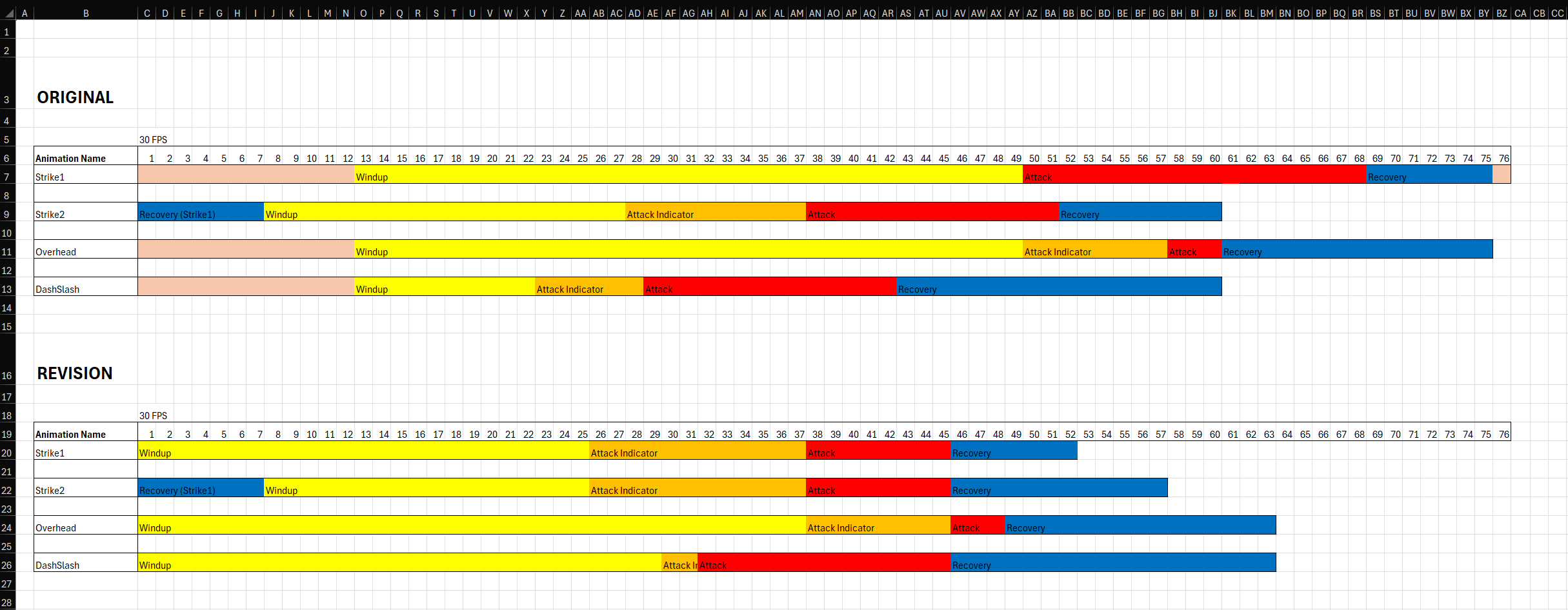
To allow a designer (me) to quickly iterate upon blockout/keyframe animations inside Godot, I created the "Batch Transposer" tool:Divide your animation into named sections, assign a length to each section, and bake this data. Then, edit section lengths to scale/transpose the defined animation sections.
So far it's proven especially useful for tweaking the windup length of an attack based on player feedback, without constantly having to go back and forth into animation software, saving valuable time.
This information is bundled into a before/after Excel sheet, and passed back to the animator.
Level Design
Top-down Map
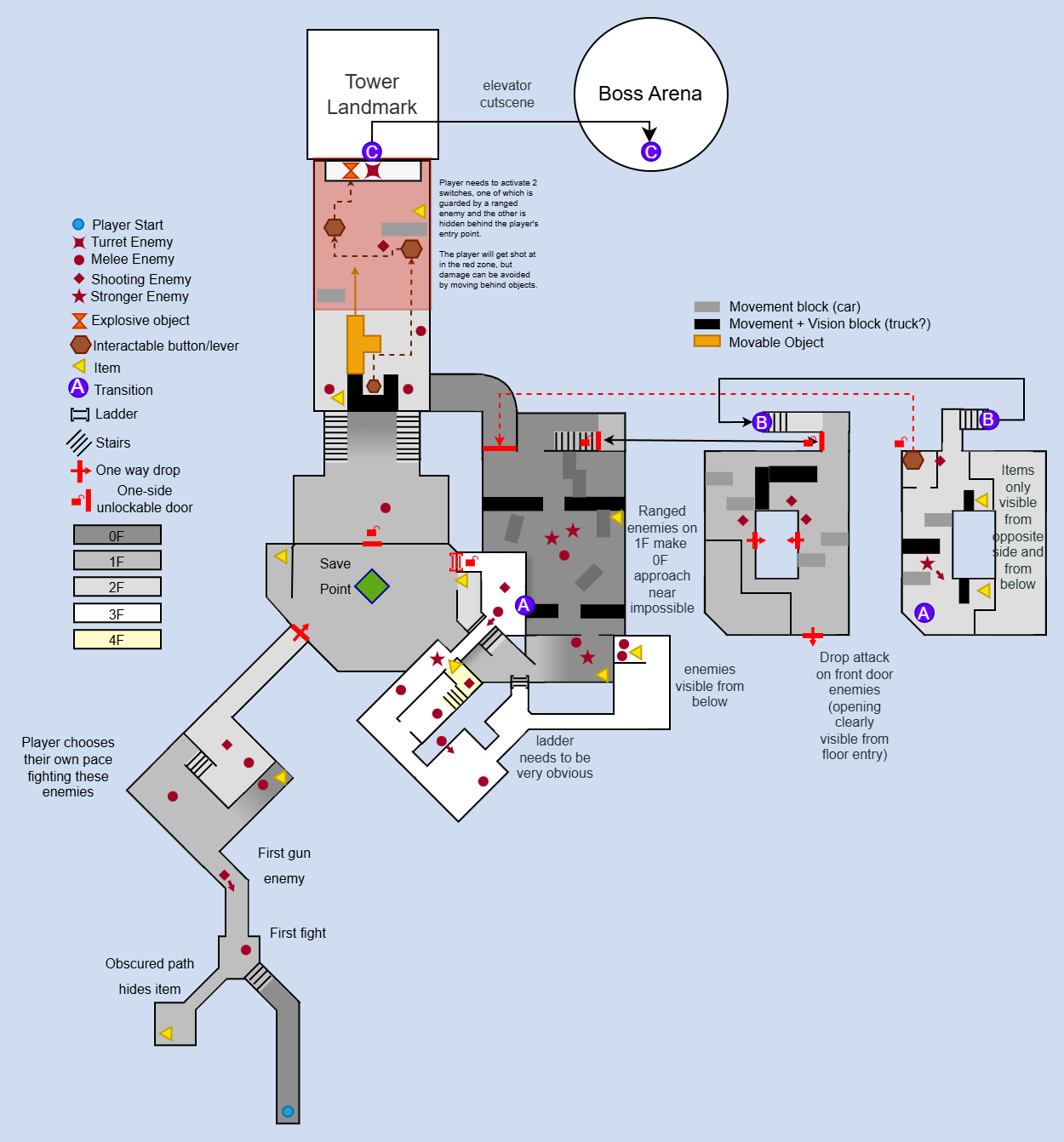
As the first step in my level design process, I created a top-down map, together with a level synopsis and criteria of success:- The player feels like they have an understanding of the main mechanics
- The player feels a sense of progression in the level segments as they traverse the level
- The player feels rewarded for exploring the level
- The player feels relief once the shortcut is opened
Technical Placeholders
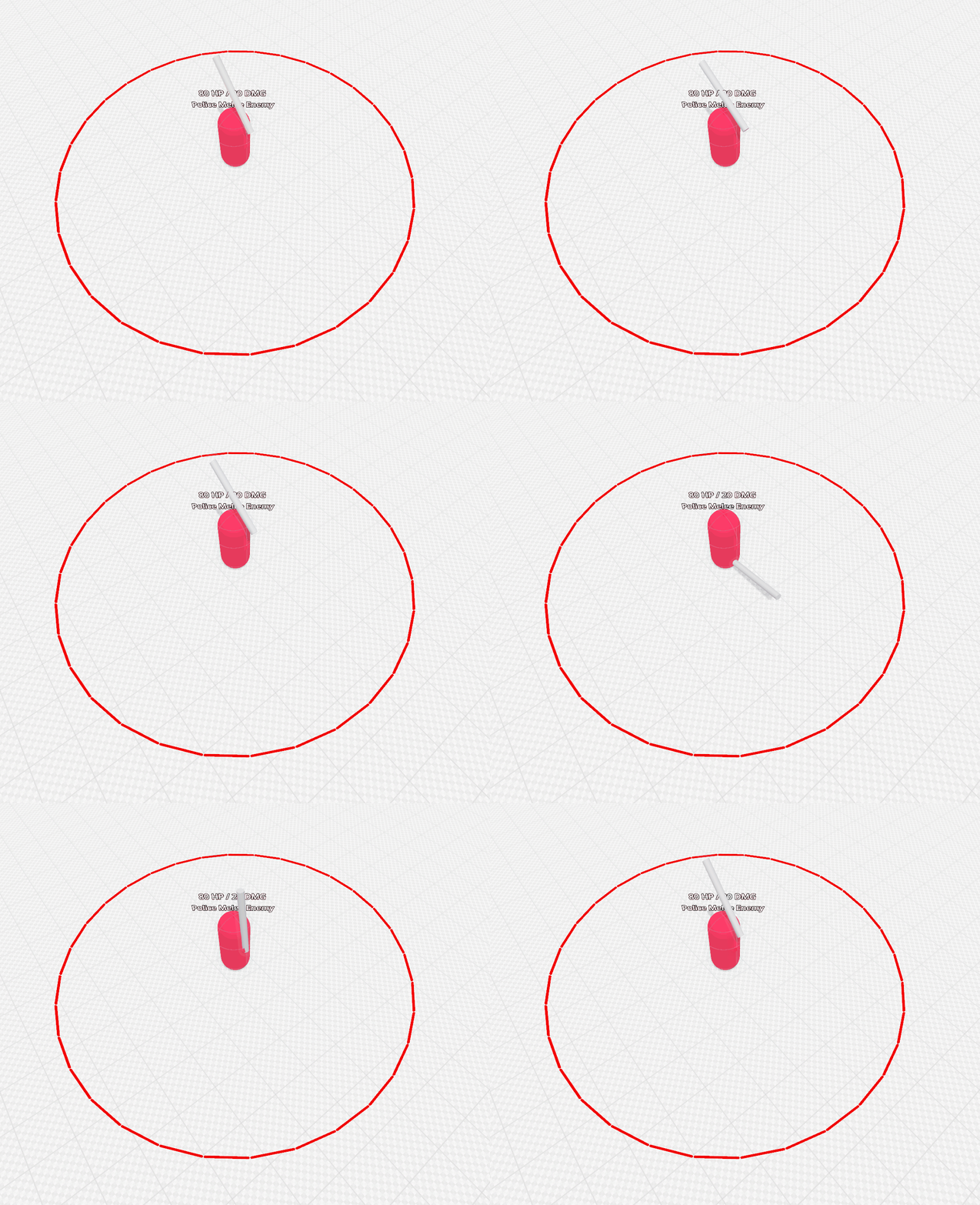
To make the greybox fully playable, I created placeholders for enemies, items, doors and ladders.Enemy placeholder, though simple, convey:
- Detection range
- Size/hitbox
- Health
- Damage
- Attack range
- Attack pattern/frequency
- Attack readability
Level Greybox
Using the top-down map and level synopsis, I blocked out the level.Some sections had to be redesigned to account for verticality and sightlines, which taught me that a top-down map should primarily convey intent and should not serve as a precise layout.
From there, in-person playtesting surfaced a range of issues around to spatial readability and encounter pacing. Iterating on those gave me the level you can see on the left!
Scalable Code
Layered Finite State Machine
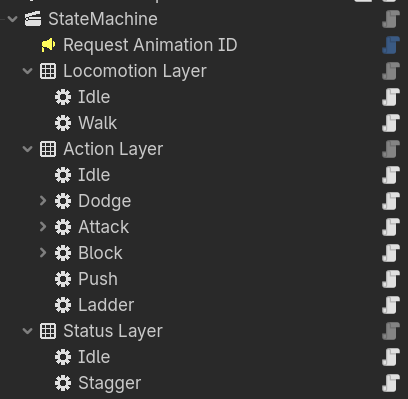
I wanted to understand AI programming properly, so I looked into how to build the system as scalable as possible. Hitting the limits of a FSM, I designed a hybrid layered state machine and behaviour tree system, similar to Unreal's behaviour tree.The system I created turned out very flexible, so I ended up using it for the player character as well!
Composition
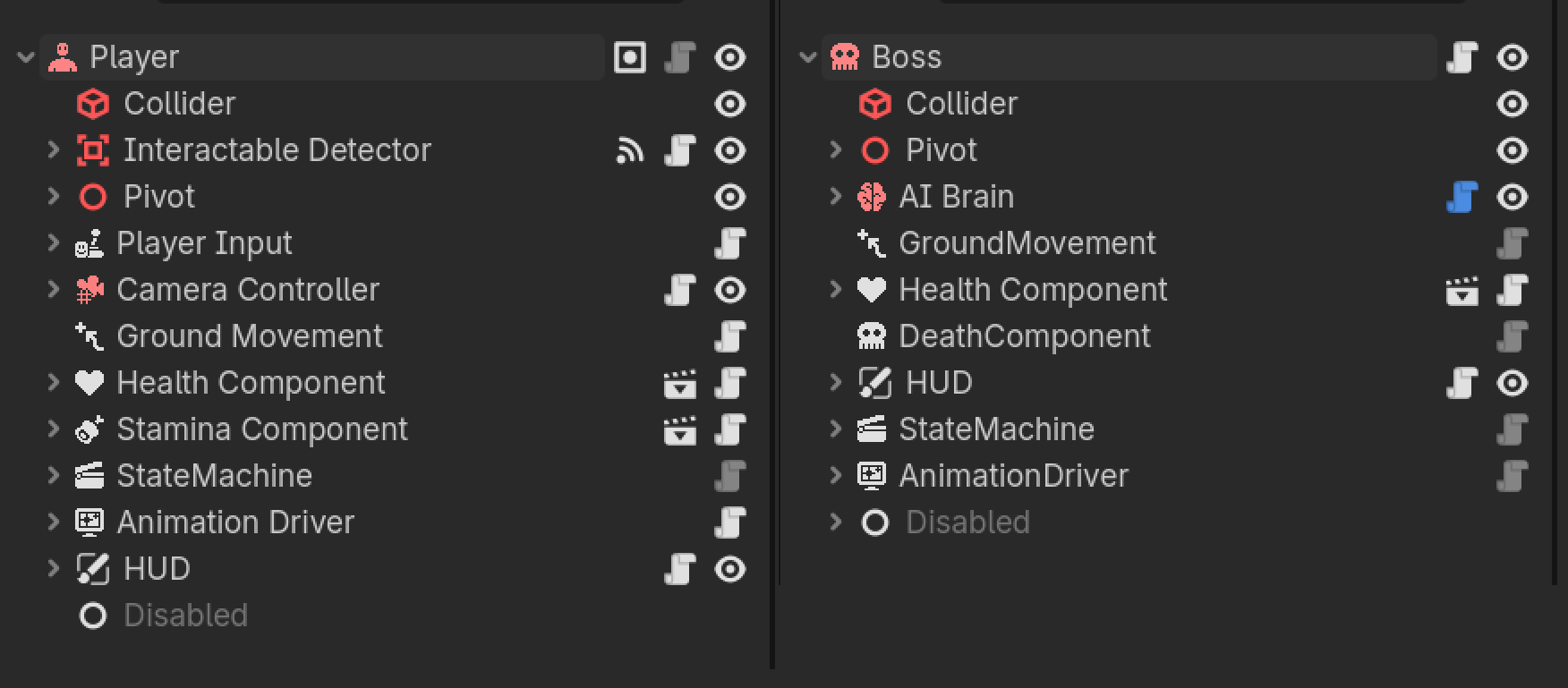
As the sole programmer of Swordcaster, I built the game with scalability in mind. I wrote completely decoupled custom nodes to build scenes, like the player and the boss, which share 90% of their code.Coming from Unity, I'm used to working with the composition pattern using UnityEvents. Godot doesn't offer the same out of the box, so I had to design my own solution which I called "Headers".
Headers Tool
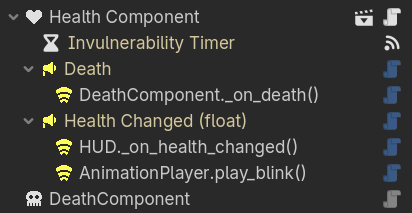
I created a tool that mimics UnityEvents in Godot. Custom nodes that visually represents signals inside the hierarchy, with names that update automatically based on what they're connected to. No more hard wiring the Health and Death components, enter Headers!